Access Session Files
All Session files are available for viewing and download in Session Review after each Session. Your private files are only available to you and cannot be accessed by other participants visiting the Session Review page. Shared Session files are available to all Session Review users.
Private Session Files
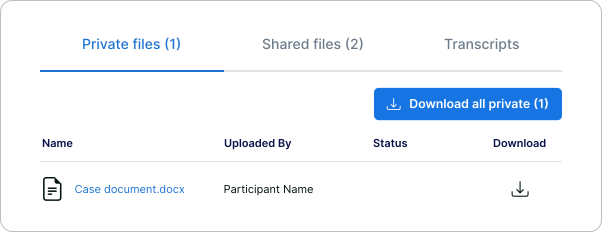
The files you upload but do not share during a Session appear under the Private files tab. Other Session participants visiting the Session Review page cannot access your private files.
Shared Session Files
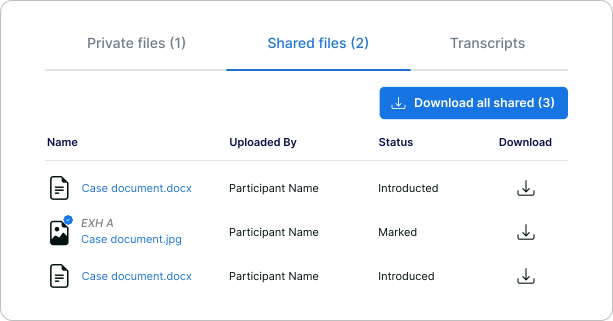
Files that are shared during a Session appear under the Shared files tab and are available to all Session Review users. All files that were introduced or presented during the Session appear under this tab.
View or Download Session Files
Session files are available to view and download from the Private and Shared files tabs. You can also download a ZIP folder containing all available files by selecting the Download all option in each tab. When you download the ZIP folder, you will also receive an email containing the link to this Session Review page.
- Select a file category...
- To access your private Session files, click the Private files tab.
- To access shared Session files, click the Shared files tab.
- Optional: To view a file, click the file name.
- Download one or more files...
- To download individual files, in the Download column, click the Download icon.
Each file is saved to your Downloads folder.
- To download a ZIP folder containing all files, click the Download all option.
The ZIP folder is saved to your Downloads folder.
- To download individual files, in the Download column, click the Download icon.